

Faster Speed to Proficiency
Get new hires productive in less time.

Higher CSAT Scores
Better-prepared CSRs deliver better customer experiences.

Stronger Compliance
Ensure consistent verification and documentation practices.

Lower Training Costs
Simulate real-world scenarios without live system risk.
Common Training Challenges

Limited Hands-On Practice
New hires often rely on manuals, videos, or shadowing with minimal real-world practice.

Complex Systems Can Overwhelm
Navigating accounts, verifying information, and resolving issues is difficult without practice.

Inconsistent Training Outcomes
Different trainers and processes can lead to inconsistent knowledge and performance.

Limited Visibility for Supervisors
It can be hard to measure progress and identify where trainees need extra support.
What CSRSIM PRO Provides
Realistic Call Simulations
Practice inbound calls based on real insurance tracking scenarios.
Interactive Verification Steps
Learn to confirm caller information and determine verification outcomes.

Mock Account Navigation
Work in simulated borrower accounts without using live customer data.

Wrap-Up & Documentation
Complete call wrap-up tasks, notes, and follow proper documentation processes.

Progress & Skill Tracking
Track performance, measure growth, and identify areas for improvement.

Remote Tech Support
Providing remote tech support to assist your team with access and usage.
A Realistic Training Experience, Step by Step
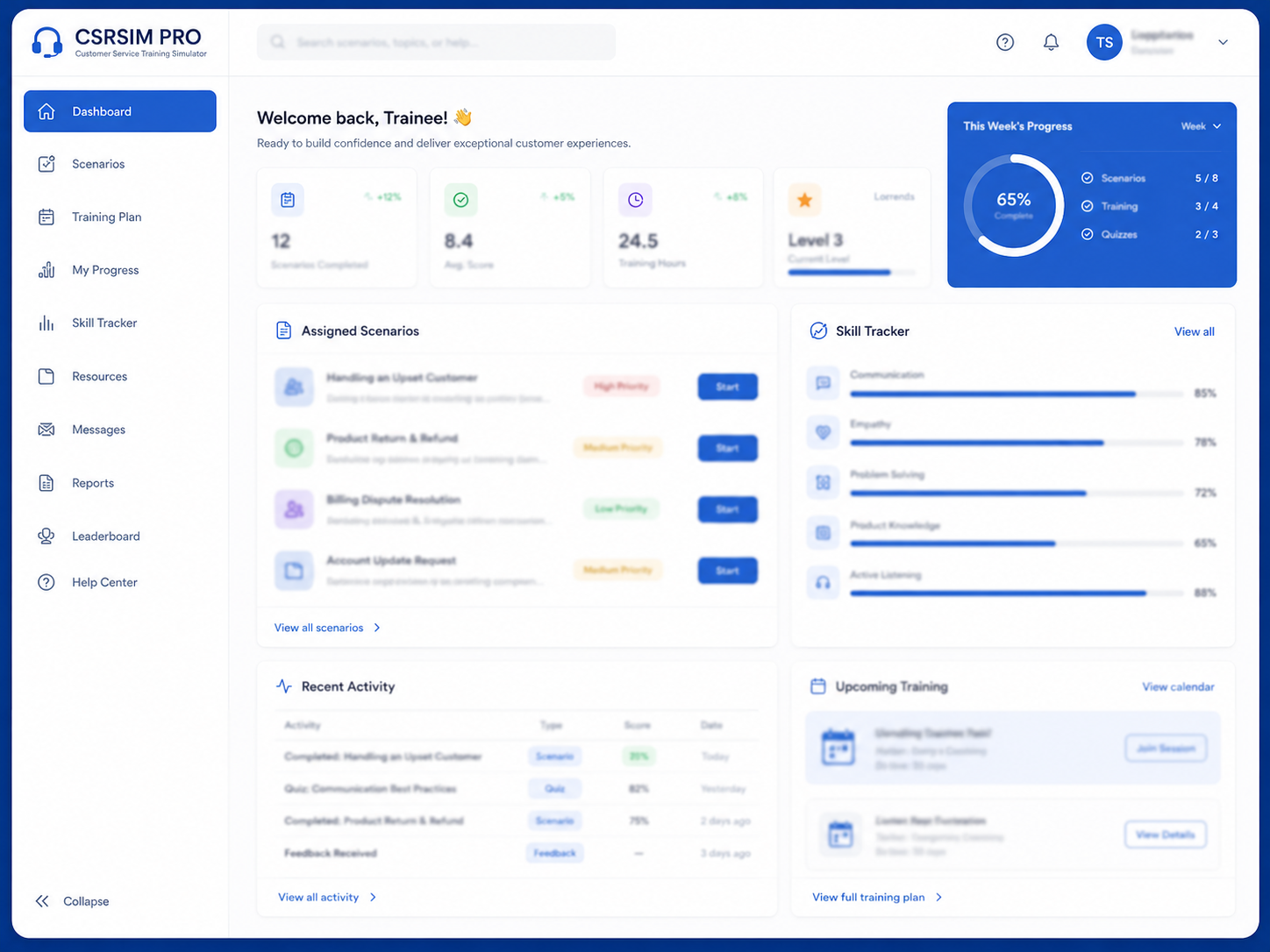
Select & Start Scenario
Trainees choose an assigned call scenario and review key details before starting the simulation.
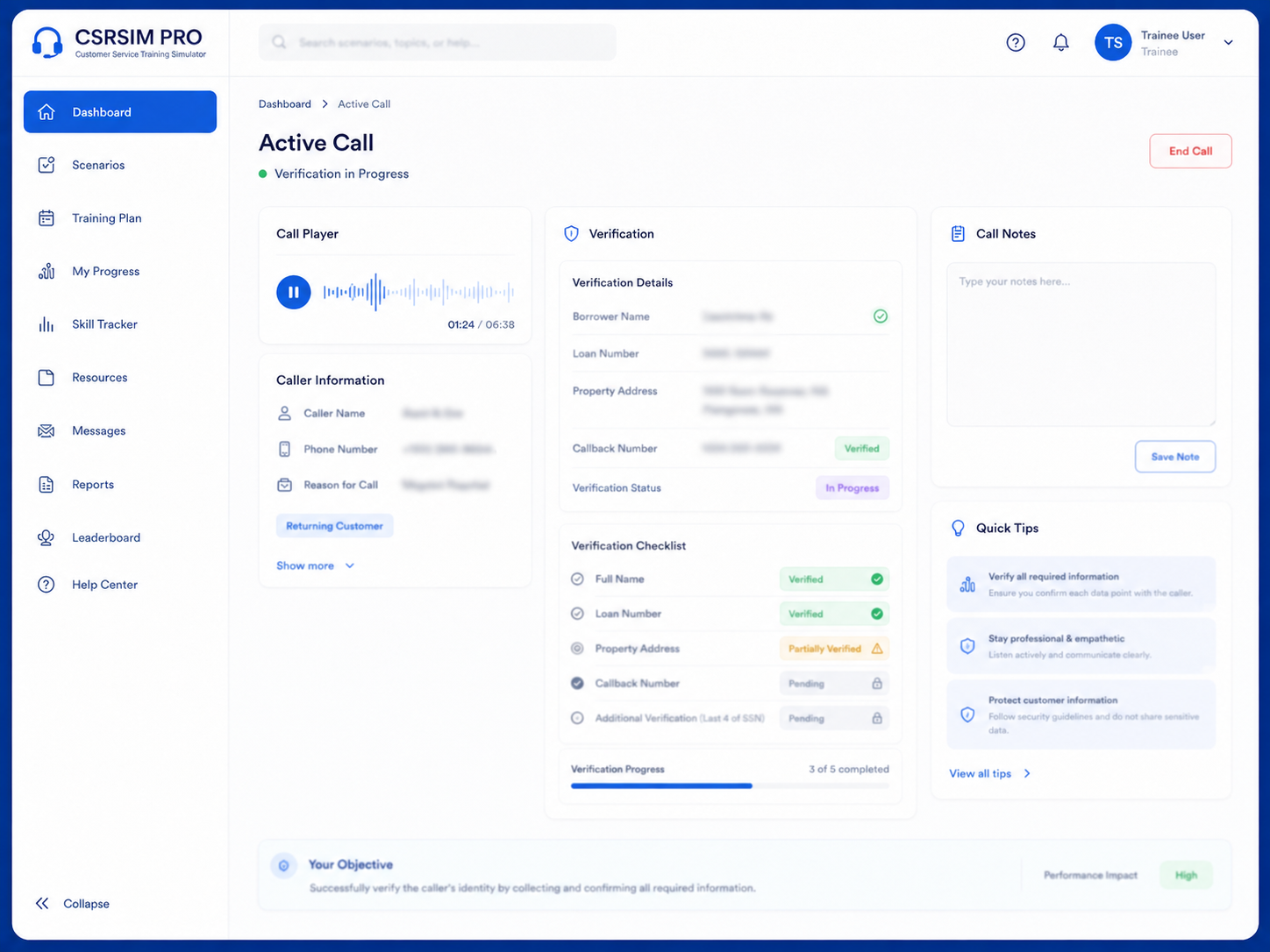
Handle the Call & Verify
Listen to the customer call and complete verification steps using the provided tools.
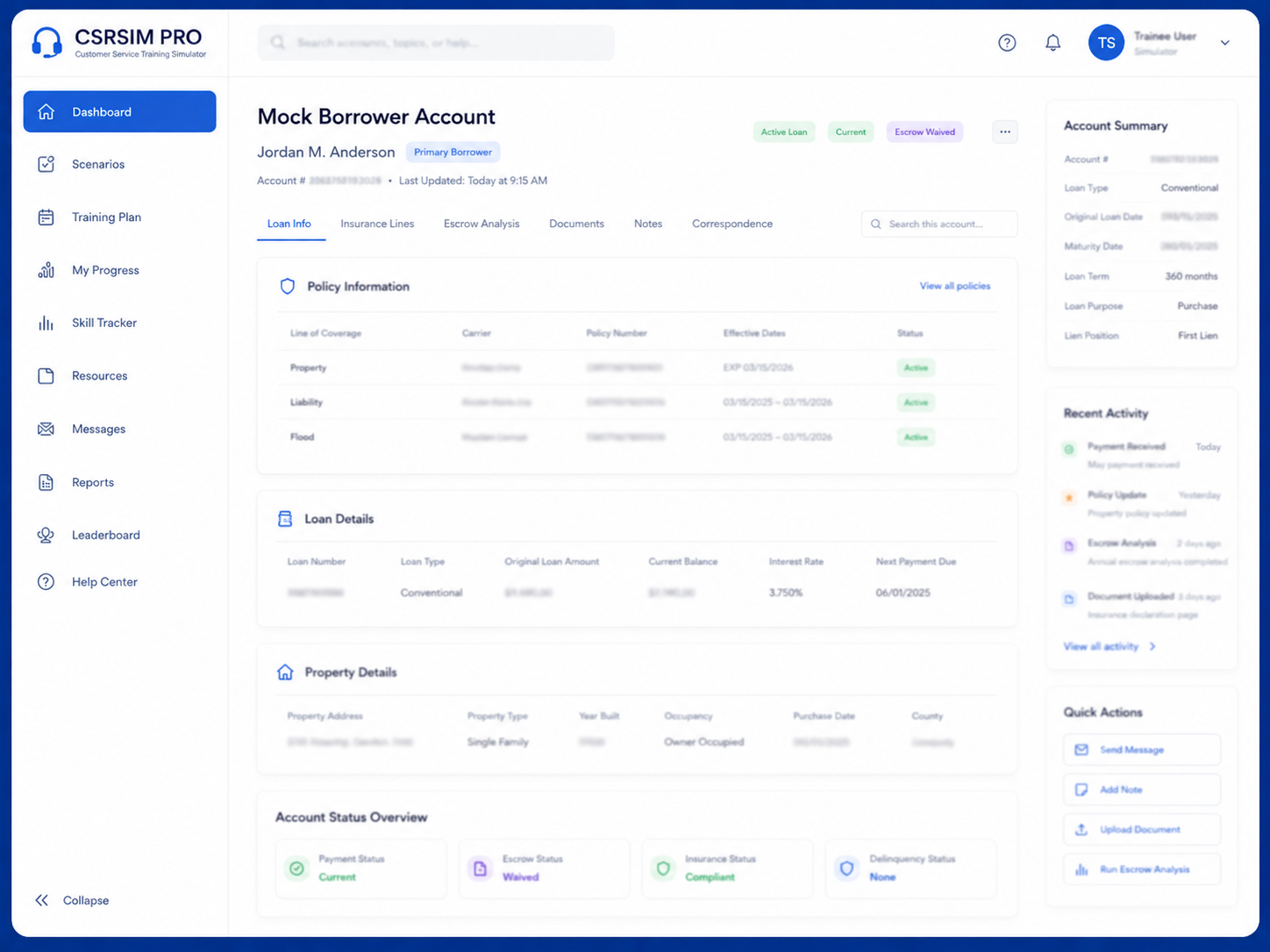
Navigate the Account
Use the simulated account system to research, update, and resolve customer issues.
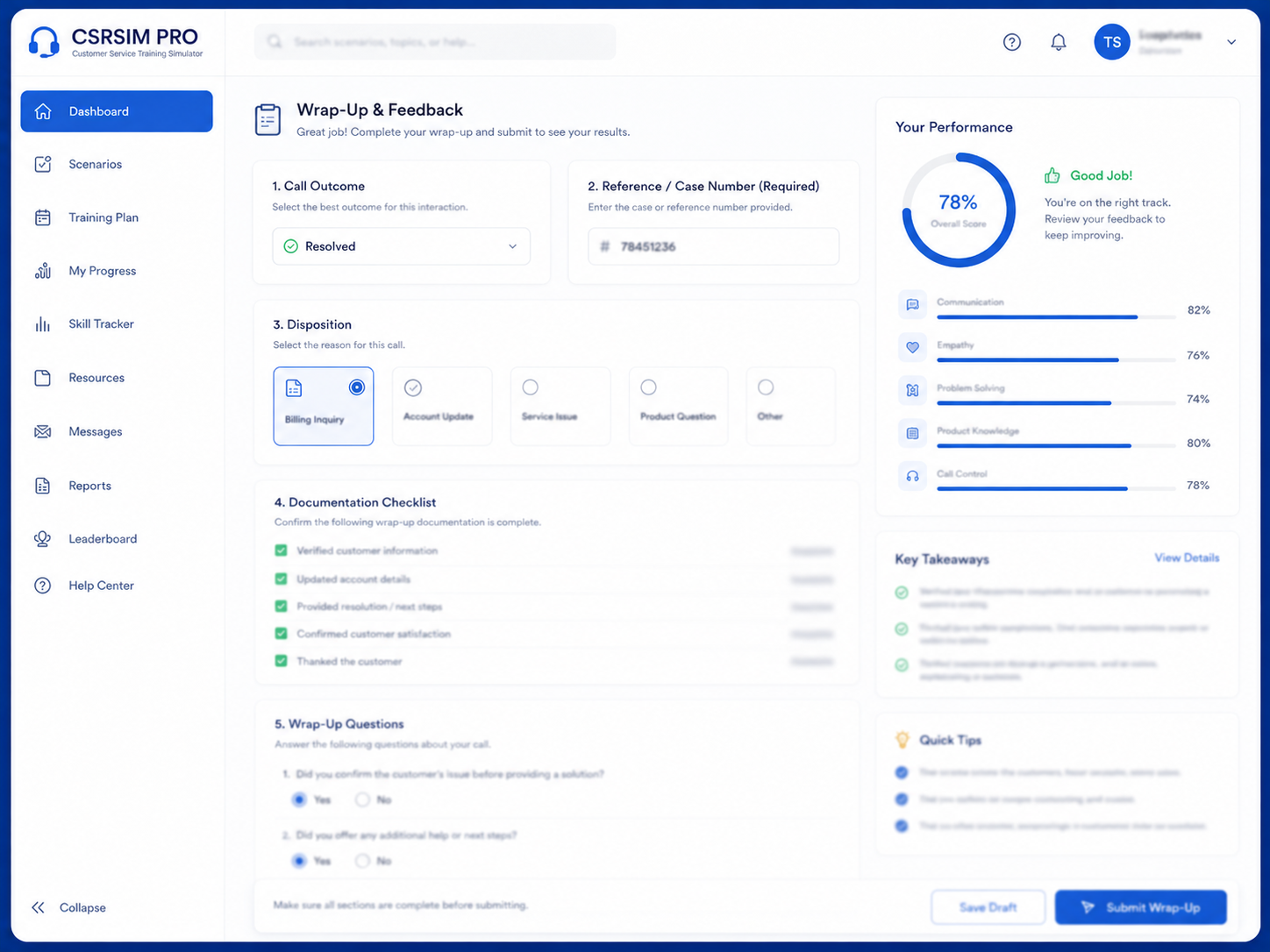
Wrap Up & Get Feedback
Complete documentation, submit wrap-up tasks, and receive instant performance feedback.
No Installation. No Hassle.
CSRSIM PRO runs in the browser with no complicated installation required. Access the simulator from compatible desktop and laptop browsers.





 Providing Remote Tech Support

Better Training. Better Results.
Faster Speed to Proficiency
New hires gain confidence and become productive sooner.

Higher CSAT Scores
Well-trained CSRs deliver better experiences and stronger customer satisfaction.

Reduce Errors & Rework
Consistent training helps minimize mistakes and follow-up work.
Stronger Team Performance
Give your team the tools and practice they need to succeed.
FAQ
What is CSRSIM PRO?
CSRSIM PRO is a realistic customer service training simulator that helps CSRs practice mock calls, verification, account navigation, documentation, and wrap-up tasks.
Who is CSRSIM PRO for?
CSRSIM PRO is built for customer service teams, training departments, call centers, insurance tracking teams, and companies that want more hands-on CSR training.
Does CSRSIM PRO require installation?
No. CSRSIM PRO is browser-based and does not require complicated installation.
Which browsers are supported?
CSRSIM PRO is designed for Chrome and Microsoft Edge on desktop and laptop computers.
Does CSRSIM PRO use real customer data?
No. The simulator uses mock borrower accounts and simulated scenarios so trainees can practice safely.
How do seats and unlimited simulator settings work?
Teams can purchase access based on the number of user seats they need. The simulator settings can support unlimited practice access based on the package or setup selected, allowing trainees to repeat assigned scenarios and continue building confidence.
Can I request a demo?
Yes. Complete the demo request form and you will be directed to schedule a demo meeting.
Ready to See CSRSIM PRO in Action?
Request a demo and discover how CSRSIM PRO can help your insurance tracking team train smarter and perform better.
 Request a Demo